 Table Of Contents
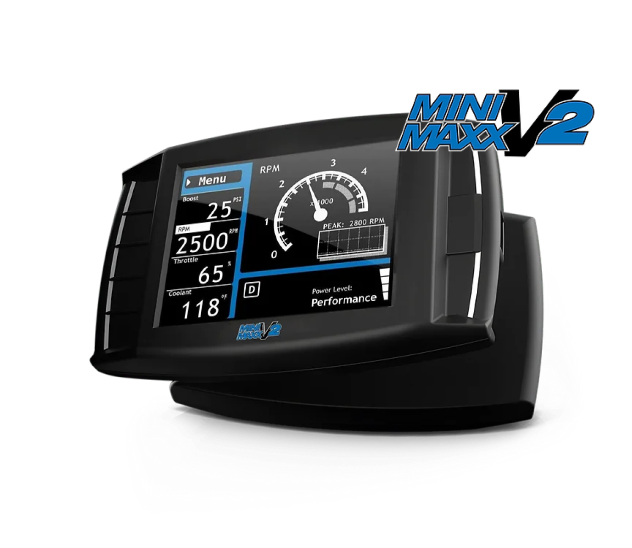
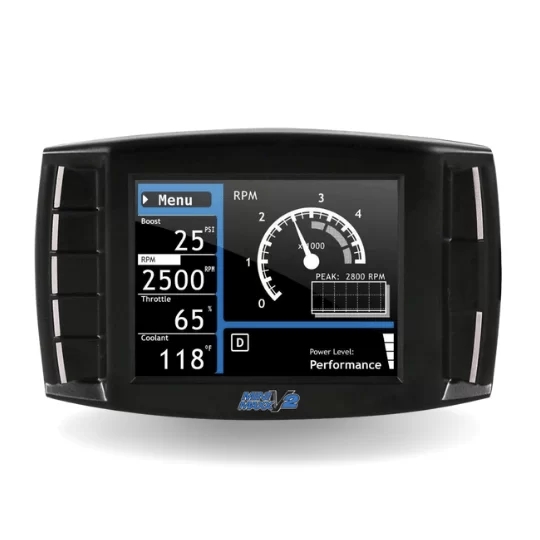
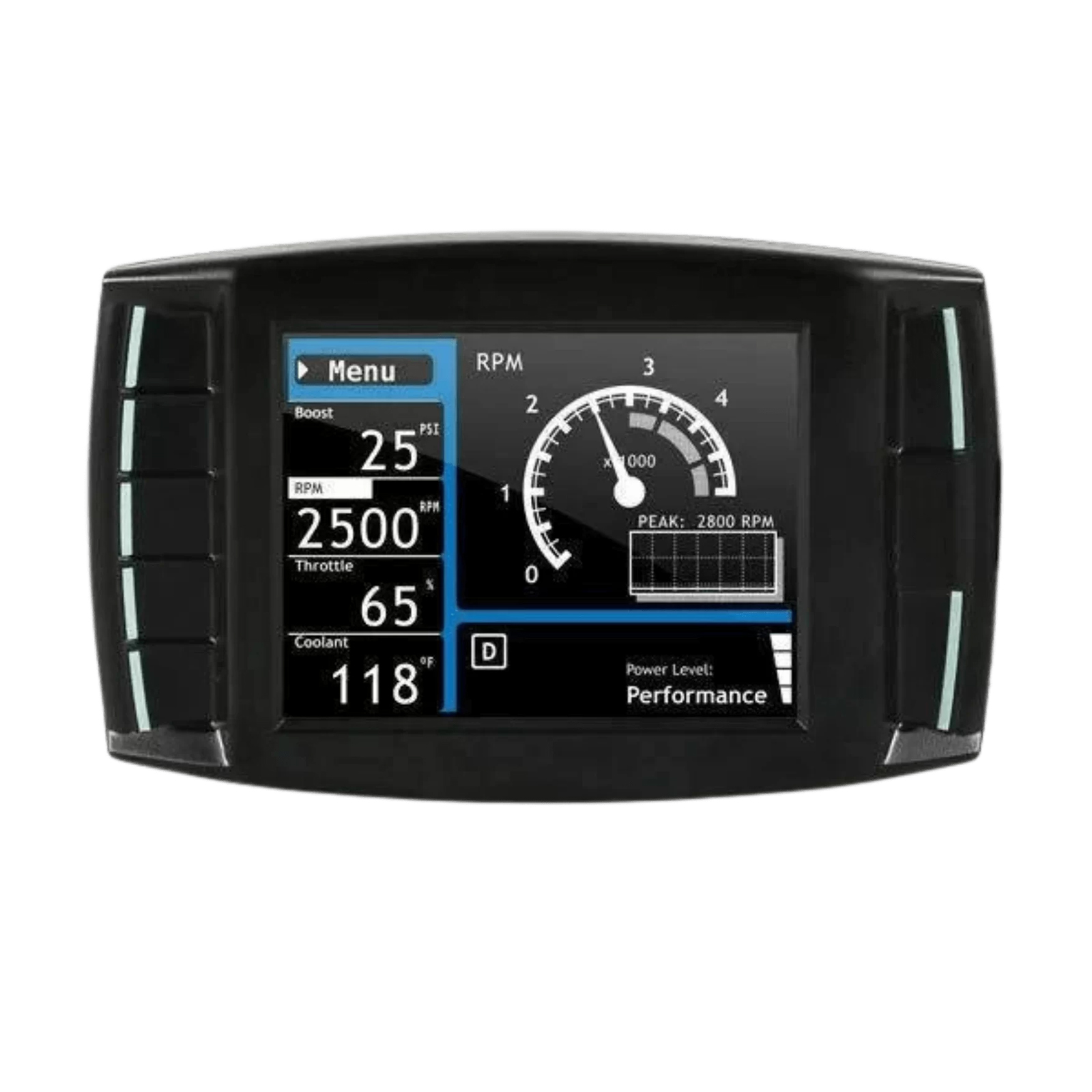
The H&S Mini Maxx Tuner is a powerful diesel performance tuning and monitoring device compatible with the three major North American diesel pickup platforms: Ford Powerstroke, Dodge/RAM Cummins, and GM Duramax. Its core capabilities cover four key areas, combining performance modification with real-time vehicle monitoring.
① Emissions Control System Disablement (Core Function)
Rewrites the Engine Control Unit (ECU) program so the DPF (Diesel Particulate Filter), EGR (Exhaust Gas Recirculation) system, DEF (Diesel Exhaust Fluid)/SCR (Selective Catalytic Reduction) system, and CAT (catalytic converter) can be physically removed without bypassing the diagnostic logic, triggering the Check Engine Light (CEL), or generating Diagnostic Trouble Codes (DTCs).
② Professional Performance Tuning
The device comes preloaded with multiple factory-optimized tuning levels. Depending on the vehicle, model year, and selected tuning level, it can deliver gains from 0 to 300 HP while optimizing turbo boost and fuel-injection logic to substantially improve torque output and throttle response.
③ Real-Time Parameter Monitoring and Fault Diagnosis
Functions as an auxiliary digital gauge display and monitors more than 20 critical engine operating parameters in real time, including exhaust gas temperature (EGT), turbo boost pressure, transmission temperature, and coolant temperature. It also supports one-touch reading and clearing of vehicle-wide DTCs for routine maintenance and performance-tuning diagnostics.
④ Practical Auxiliary Functions
Supports speedometer recalibration for non-stock tire sizes, adjustment or removal of the factory speed limiter, and custom activation or deactivation of hidden factory functions on supported vehicles such as the 6.7L Cummins, including high-idle mode and seat-belt chime disablement.
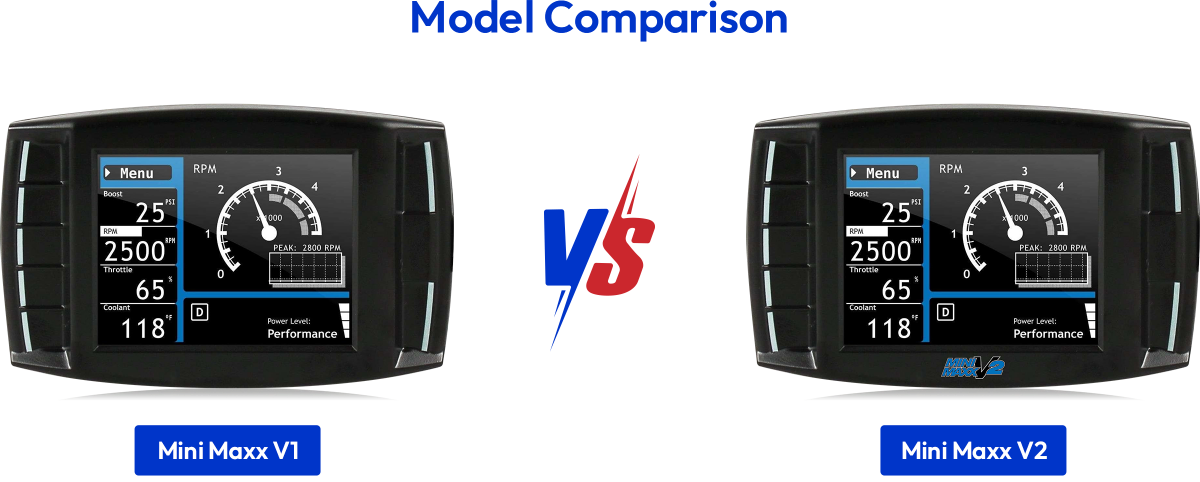
| Comparison | Mini Maxx V1 (Classic) | Mini Maxx V2 (Upgraded) |
|---|---|---|
| Product Positioning | Stable workhorse for older vehicles | All-around option for newer-generation diesel trucks |
| Applicable Model Years | 2003–2014 | 2007–2021 (broader coverage and stronger backward compatibility) |
| Supported Ford Engines | 6.0L Powerstroke (2003–2007) 6.4L Powerstroke (2008–2010) | 6.7L Powerstroke (2011–2019) |
| Supported Dodge/RAM Engines | 5.9L Cummins (2006–2007) 6.7L Cummins (2007.5–2012) | 6.7L Cummins (2013–2021) |
| Supported GM Engines | 6.6L Duramax (2007.5–2014) | 6.6L Duramax (2007.5–2016), including LML |
| Emissions Disable Capability | DPF / EGR / DEF / SCR ✅ | DPF / EGR / DEF / SCR ✅ |
| Maximum Horsepower Gain | Up to +300 HP | Up to +300 HP |
| User Interface | Classic LCD display | New high-definition UI |
| Installation Complexity | Moderate | Higher |
| Price | $689.00 | $999.00 |
| Purchase | 🛒 Add to Cart — V1 | 🛒 Add to Cart — V2 |
📌 Quick Buying Guide
| Vehicle Application | Tow | Street/Mild | Performance/Wild | Extreme/Hot |
|---|---|---|---|---|
| Dodge/RAM Cummins | ||||
| 2006–2007 5.9L Cummins | +60 HP | +120 HP | +200 HP | — |
| 2007.5–2012 6.7L Cummins | +40 HP | +80 HP | +120 HP | — |
| 2013–2018 6.7L Cummins | +60 HP | +120 HP | +175 HP | — |
| Ford Powerstroke | ||||
| 2003–2007 6.0L Powerstroke | +40 HP | +80 HP | +120 HP | — |
| 2008–2010 6.4L Powerstroke | +80 HP | +160 HP | +250 HP | +300 HP |
| 2011–2014 6.7L Powerstroke | +50 HP | +100 HP | +150 HP | — |
| 2015–2019 6.7L Powerstroke | +50 HP | +100 HP | +150 HP | — |
| GM/Chevrolet Duramax | ||||
| 2007.5–2010 6.6L LMM | +60 HP | +120 HP | +175 HP | — |
| 2011–2014 6.6L LML | +50 HP | +100 HP | +150 HP | — |
| 2015–2016 6.6L LML | +50 HP | +100 HP | +150 HP | — |
Step 1: Mount the Device
Secure the suction-cup mount in a suitable position on the windshield, then slide the Mini Maxx device into the mount's T-slot.
Step 2: Connect the OBDII Adapter
Locate the OBDII diagnostic port beneath the driver's-side dashboard and firmly insert the adapter plug.
Step 3: Connect the Power Wire (⚠️ Critical)
Connect the power wire to the vehicle fuse box using the supplied fuse tap.
Make sure the fuse tap is installed on the "dead side" of the fuse socket.
Step 4: Connect the HDMI Cable
Use the HDMI cable to connect the Mini Maxx device to the OBDII adapter.
Step 5: Power On and Install the Tune
Move the power switch on the adapter to the BAT position.
Turn the vehicle key to the ON position (⚠️ do not start the engine).
Open the main menu → select Install Download → follow the on-screen instructions to complete installation.
📘 Complete Installation Manuals (PDF)
| Vehicle | Important Note |
|---|---|
| 2018+ RAM Cummins | A dedicated bypass cable is required and must be connected to the green connector behind the dashboard. |
| Ford / RAM Vehicles | Disconnect the throttle plug before installing the tune. |
| GM Duramax | Inspect and remove the specified fuses before installation. |
| Item | Mini Maxx V1 | Mini Maxx V2 |
|---|---|---|
| SD Card Capacity | 4GB–16GB | 2GB–4GB |
| SD Card Format | FAT / FAT32 file system (❌ not exFAT) | FAT file system (❌ not FAT32/exFAT) |
| SD Card Name | Name it “MINI MAXX”; the space may be omitted | Must be named “MINI MAXX” |
| Recommended Brand | SanDisk or Kingston | SanDisk or Kingston |
| File Placement | Place tune files in the SD card root directory | Place tune files in the SD card root directory |
| Before Updating | Returning the vehicle to stock is recommended | ✅ The tune must first be uninstalled through the “Return to Stock” menu option |
| Firmware Update | Higher fault tolerance; follow the on-screen instructions | ⚠️ Files must be downloaded using a Windows computer, and power must remain uninterrupted throughout the update |
| Key Precaution | Avoid switching tuning modes too frequently, which may confuse ECU logic | The power lead must be connected to the correct ACC/IGN fuse slot; do not turn off the ignition before installation is complete |
| Common Problem Area | Hardware-related issues: power, SD card, and cables | Software/firmware-related issues: ECU communication and logic errors |
🔹 General Pre-Installation Checklist (V1 / V2)
* This update is only for the V2 version. Do not use it on a Mini Maxx V1 tuner.
Pre-Update Preparation
Update Procedure
| Symptom / Error Code | Affected Platform | Possible Cause | See Section |
|---|---|---|---|
| Black Screen / No Power | V1 & V2 | Low voltage, loose cables, or CAN bus interference | 3.1 General System Failures |
| No Performance Gain | V1 & V2 | The tune was not successfully written to the ECU | 3.1 General System Failures |
| Error Code 399 / 327 | V1 & V2 | Incorrect SD card capacity/format or files not placed in the root directory | 3.1 General System Failures |
| “Insert SD Card” Prompt | V1 & V2 | SD card not recognized because of format, capacity, or naming | 3.1 General System Failures |
| Ford Powerstroke | |||
| P04E3 | 2016 Powerstroke | Firmware detects a nonexistent PCV sensor | 3.2 Ford |
| P24C6 / P24DA | 2011+ Powerstroke | Calibration issue in older tune files | 3.2 Ford |
| “Unrecognized Part Number” | Powerstroke | The ECU calibration file is not in the database | 3.2 Ford |
| Reduced Power / No Power | 2017–2019 Powerstroke | Tune file incompatible with the factory EGT sensor | 3.2 Ford |
| SOTF Switching Failure | 2011–2019 Powerstroke | PCM software incompatibility affecting approximately 7% of vehicles | 3.2 Ford |
| RAM Cummins | |||
| Boost Drops to 20 PSI | 2013–2021 Cummins | Known tune-file defect | 3.3 RAM |
| “Loping/Surging” | 2014–2015 Cummins | Tune-file calibration issue | 3.3 RAM |
| “Part Number Not Supported” | 2018+ Cummins | PCM part number mismatch after a dealer reflash | 3.3 RAM |
| GM Duramax | |||
| Error Code 312 | 2007.5–2010 LMM | Specific programming-state error | 3.4 Duramax |
| Error Code 316 | Duramax | Old tuning-program remnants remain in the ECU | 3.4 Duramax |
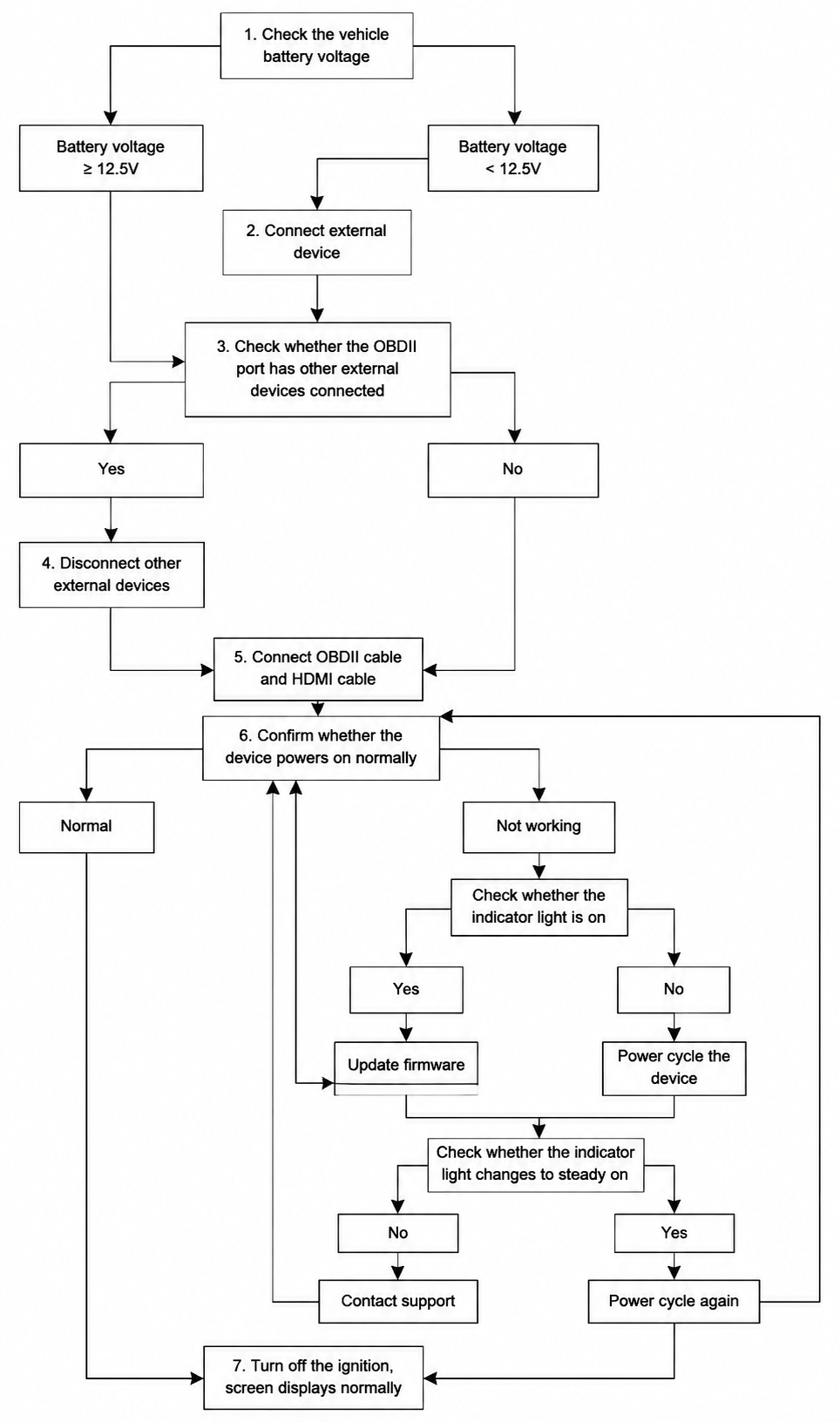
🔸 Power and Display Problems
Symptoms: Black screen, frozen on the startup screen, or unable to power on.
Possible Causes:
① Battery voltage below 12.5V
② Loose or damaged HDMI/OBDII cable
③ CAN bus interference caused by an OBDII Y-splitter
Solutions:
① Charge the battery
② Disconnect and reconnect all cables
③ Remove other OBDII devices so the Mini Maxx is the only connected device
Communication Failure (Black Screen / Screen Stays On) - Troubleshooting Mind Map
🔸 SD Card Logic Errors (Codes 399 / 327)
Symptoms: The screen displays "Insert SD Card" or error code 399/327.
Possible Causes:
For Mini Maxx V1:
① The file is not in the root directory.
For Mini Maxx V2:
① SD card capacity exceeds 8GB
② Incorrect SD card format (exFAT/FAT32 instead of FAT)
③ Tune files are not in the root directory
Solution: Prepare the card again in strict accordance with the V1/V2 SD card requirements above.
🔸 Tune Installation Failure
Symptoms: No performance gain after installation and the boost gauge reads 0.
Possible Cause: The tune failed to write to the ECU.
Solution: Open Menu → Settings → Tune Status. If it shows "Not Installed," rerun Install Download while maintaining stable battery voltage.
| Error Code / Symptom | Applicable Vehicle | Solution |
|---|---|---|
| P04E3 | 2016 Powerstroke | Software defect: V2 firmware attempts to detect a nonexistent PCV sensor. Download the “MGGDT.IT1” patch file, place it in the “FORD” folder on the SD card, and reinstall the tune. |
| P24C6 / P24DA | 2011+ Powerstroke | Older tune files are incompatible with certain PCM calibrations. Update the firmware to a version released after October 2023. |
| Reduced Power / No Power | 2017–2019 Powerstroke | The tune does not support the factory EGT sensor. Temporary solution: disconnect the EGT sensor connector → clear the fault codes → power returns, but EGT data will no longer be available. |
| SOTF Switching Failure | 2011–2019 Powerstroke | PCM software incompatibility affecting approximately 7% of vehicles. Status: known defect with no universal solution. |
| “Unrecognized Part Number” | Powerstroke | The ECU calibration is too new or uncommon and is not in the tuner database. ① Connect the SD card to a computer and open the corresponding Ford folder. ② Find the filename closest to the “unrecognized part number” shown on the screen. ③ Copy it and rename the copy to the exact filename requested by the tuner. ④ Retry installation. |
| Error Code / Symptom | Applicable Vehicle | Solution |
|---|---|---|
| Boost Pressure Drops to 20 PSI | 2013–2021 Cummins | A software bug exists in the tune file. For 2013–2018 vehicles, the latest firmware includes a beta fix. For 2019–2021 vehicles, a fix is still under development. |
| “Loping/Surging” | 2014–2015 Cummins | Tune-file calibration issue. Update the firmware to version 2.0.0.4 or later. |
| “This Part Number Is Not Currently Supported” | 2018+ Cummins | The tuner supports only stock PCM software with part numbers beginning with a number. A dealer update may change the part number so it begins with a letter, preventing recognition. ① Update to the latest firmware. ② If the problem remains, the device is currently incompatible with the vehicle. |
🔸 LML (2011+) Engine Limitations
🔸 Error Code 312 (2007.5–2010 LMM)
🔸 Error Code 316
Cause: The ECU contains remnants of another tuner's programming.
Solution: Take the vehicle to a dealership or qualified repair facility and use a factory diagnostic tool, such as IDS, to completely reflash the ECU to stock.